
The workflows that move your money. Connected inside NetSuite.
RUBYFIVE PRODUCTS
From vendor onboarding and payment execution through status and reconciliation, RUBYFIVE connects the data and workflows around every payment inside NetSuite.
That connected financial context creates a trusted foundation for more intelligent operations — and future AI-assisted capabilities.
01
02
03
04
VENDOR ONBOARDING
Get vendors payment-ready securely.
PAYMENTS
Control how and when your cash moves.
PAYMENT STATUS
Know what happened without waiting for the bank statement.
RECONCILIATION
Close the loop back in NetSuite.
Get vendors payment ready — and establish trust before money moves.
01 VENDOR ONBOARDING
Securely collect vendor information, W-9s and banking details without relying on email, validate bank account information, and bring verified payment information directly into NetSuite.
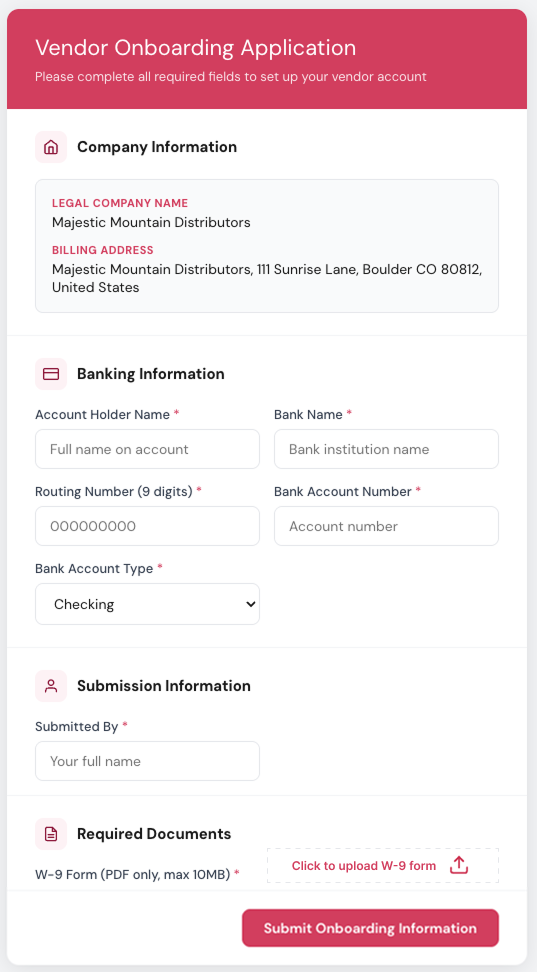
Send a secure onboarding request.
INVITE
COLLECT
Capture vendor, banking and tax information.
VALIDATE
Validate bank account information and check instant-payment eligibility.
SYNC
Bring vendor information directly into NetSuite.
Your vendors provide the information.
You decide how and when to pay them.
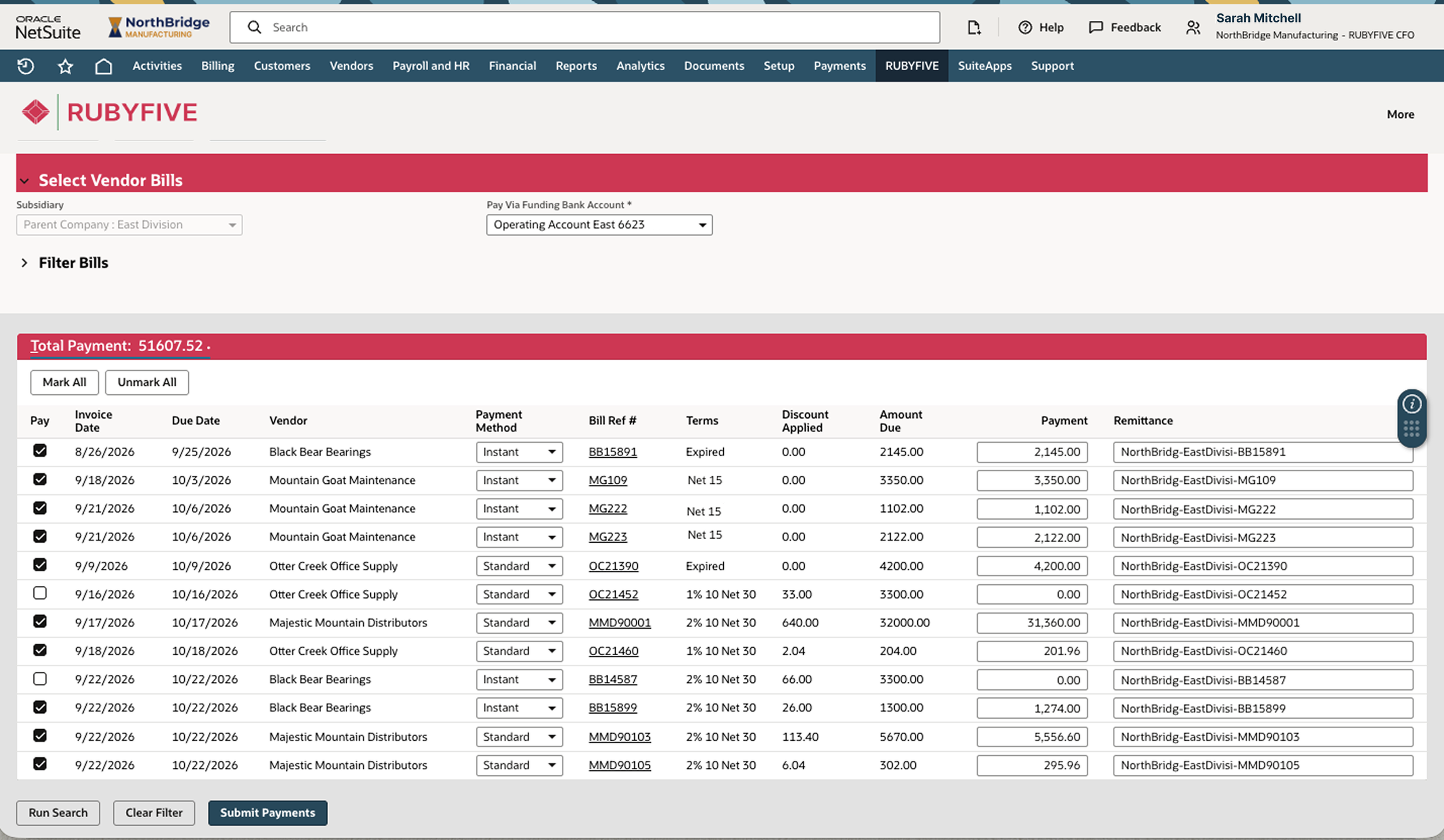
Select the bills to pay, choose the funding account and payment rail, and send approved payment instructions directly to your bank — all from inside NetSuite.
Control how and when your cash moves.
02 PAYMENTS
WHAT TO PAY
Select the vendor bills you want to pay.
WHERE TO PAY FROM
Choose the appropriate funding account.
HOW TO PAY
Choose from the payment rails available through your bank.
See payment terms and discount opportunities, then decide when to move the cash.
WHEN TO PAY
See the tradeoff. Decide when to move the cash.
Capture the discount — or preserve the cash.
Bank responses come back into NetSuite as they happen, giving finance visibility into successful payments, settlement and bank rejections—before transaction data arrives for reconciliation.
Know what happened — and fix what didn't.
03 PAYMENT STATUS
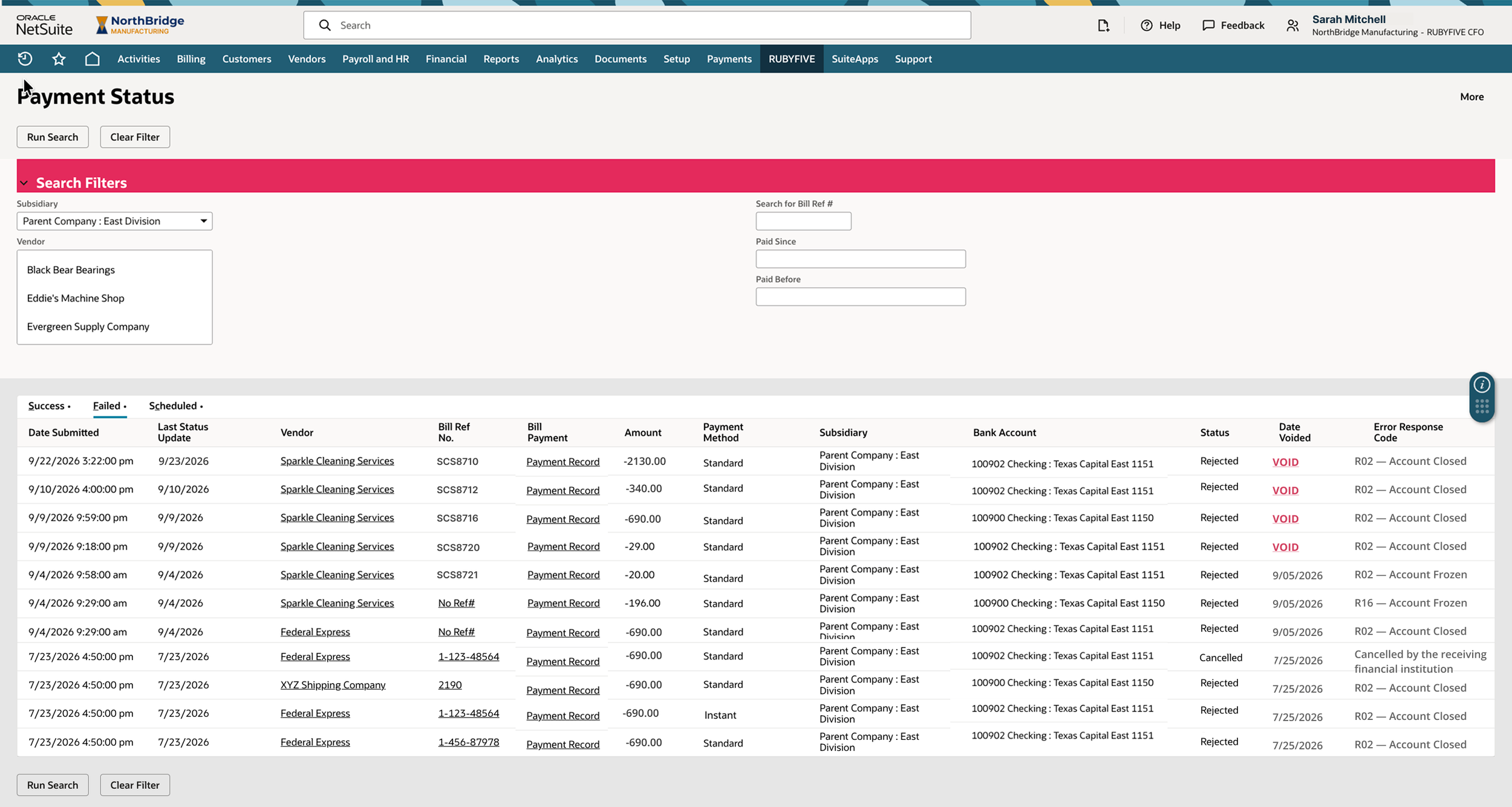
See payment status as the bank provides updates.
SETTLEMENT
Confirm successful instant-payment settlement as soon as the bank reports it.
STATUS
See bank-provided rejection details so finance knows why a payment failed.
UNDERSTAND THE FAILURE
Void rejected ACH payments in NetSuite, correct the issue and reprocess — without waiting for reconciliation.
REPAIR
Don't wait for reconciliation to discover a payment failed.
Keep NetSuite and your bank aligned from the start.
Reconcile the account — not the payments RUBYFIVE already knows.
04 RECONCILIATION
RUBYFIVE carries the identity of every payment it initiates from NetSuite through bank execution and back to the corresponding bank transaction — so those payments can be automatically reconciled when transaction data arrives.
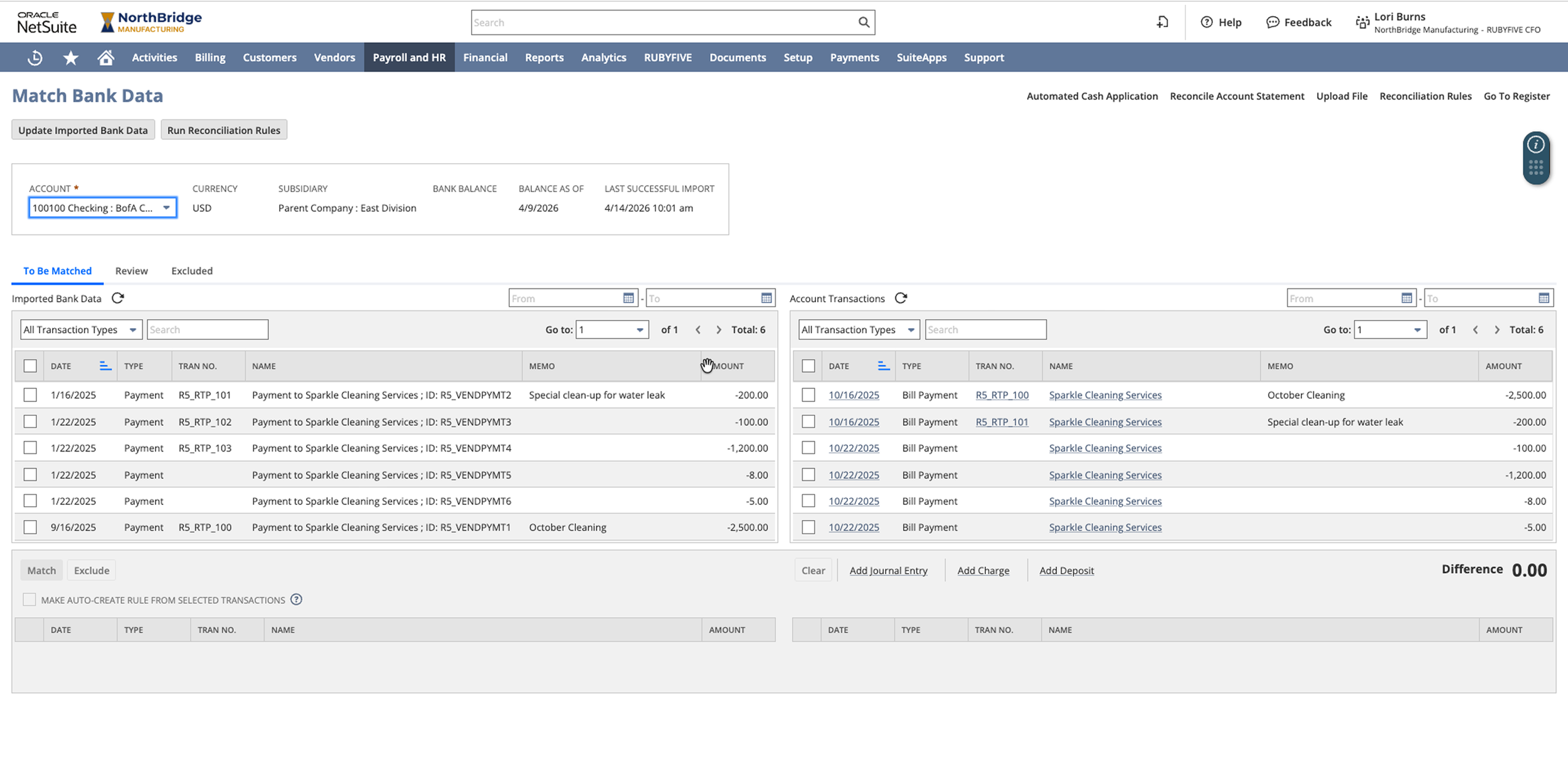
IMPORT
Bring bank transaction activity directly into NetSuite.
IDENTIFY
Recognize RUBYFIVE-initiated payments through their payment identity.
AUTO-RECONCILE
Automatically reconcile RUBYFIVE payments to the bank transactions that settled them.
Reconcile deposits, AR, bank fees, interest, transfers and other bank activity using NetSuite's standard reconciliation tools.
RECONCILE THE REST
If RUBYFIVE initiated the payment, reconciliation isn't a guessing exercise.
100% identity-based matching of RUBYFIVE initiated payments.
Vendor onboarding, payments, payment status and reconciliation work inside the NetSuite environment your finance team already uses — connected to your subsidiaries, roles, vendors, bills and bank accounts.
One workflow. Not four more systems.
BUILT INTO NETSUITE
Vendor Onboarding → Payments → Payment Status → Reconciliation
Move money. Know what happened. Close the loop — without leaving NetSuite.
SEE RUBYFIVE IN ACTION
See how RUBYFIVE connects your ERP to the banks you already use.